Category: Seller Guide
How to List a Product on Tradoi
By Tradoi Team · Published 2026-04-13 · Updated 2026-08-21
Listing a product on Tradoi means turning what you sell into a clear, searchable page that the right buyers can find. The difference here is that you do not have to write that page yourself. You describe your product in plain words, and Tradoi's AI organizes what you wrote into a proper listing with the specs, the search terms, and the structure buyers look for.
The short version: tap Add Product, choose Product or Service, describe it in a few honest sentences, set your price and minimum order, add a few real photos, then review and publish. Tradoi structures the listing for you. A clean one usually goes live the same day.
This guide walks through it in the order you'll see on screen, names the button at each step, and points out the small choices that decide whether your products turn up in search. New to Tradoi? Set up your store first with How to Register as a Seller, then come back here.
What You'll Need
- A verified business account (phone, email, and business verified) to publish
- A few real photos of the actual product
- Your price per unit and your minimum order
- Key specs such as material, size, grade, and certifications
- An HSN or SAC code (optional, for your tax details)
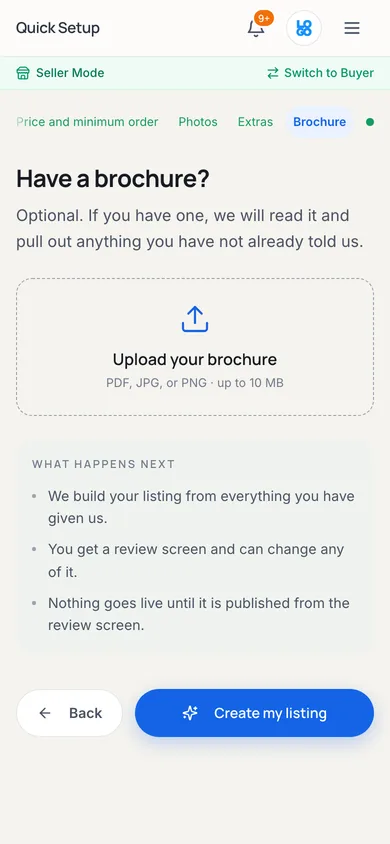
- A product brochure, if you have one (optional, and Tradoi reads it for you)
What Does It Mean to List a Product on Tradoi?
A product listing on Tradoi is the page a buyer sees when they find what you sell: the name, the photos, the price, the specs, and how to reach you. You build it through Quick Setup, a short guided flow that asks you a few plain questions and hands your answers to Tradoi's AI to structure into the finished listing.
You stay in control the whole way. The AI organizes and sharpens what you wrote, it never invents specs, certifications, or claims you did not give it. Every listing lands on a Review screen before it goes anywhere, and nothing is visible to buyers until you publish it and it passes a quick check. That is the deal across Tradoi: a real, verified business behind every listing, and a seller who stands behind every product.
How Do I List a Product on Tradoi?
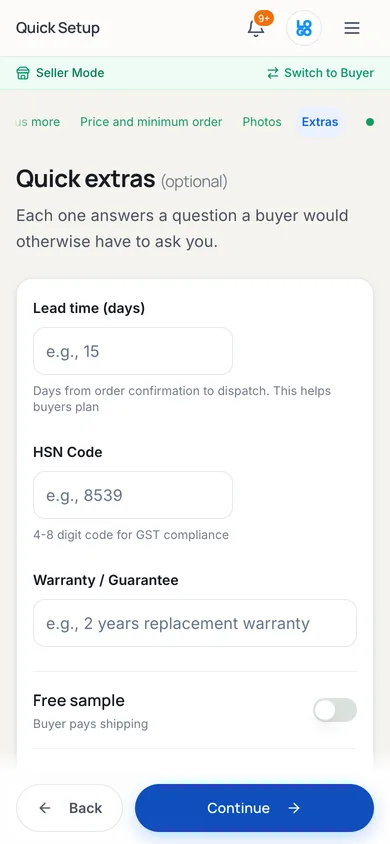
Start from your seller dashboard. Tap Products, then Add Product, and Quick Setup opens. It runs as six named steps: What do you sell? · Tell us more · Price and minimum order · Photos · Extras · Brochure. You work through them in order, each one takes a sentence or two, and you can save and come back at any point.
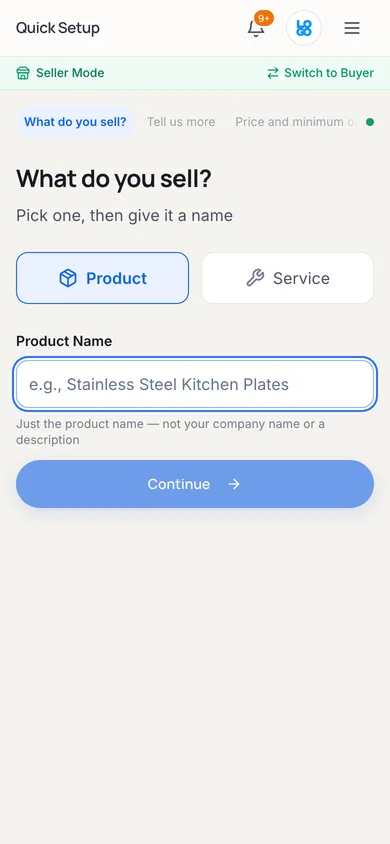
- Say what you sell. On the first step, What do you sell?, tap Product or Service, then give it a name. This field wants the product name only, not your company name and not a description. "Stainless Steel Kitchen Plates" is exactly the shape it expects. *You now have a listing started under a name buyers will recognize.*
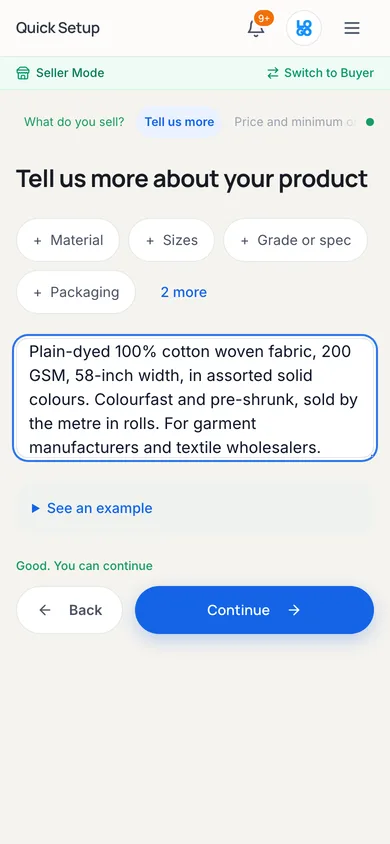
- Tell us more. This step matters most. Write the way you would explain the product to a serious buyer, and use the words your buyers use: GSM, IP65, food-grade. Tradoi prompts you with the details that pull the most weight: material, sizes, grade or spec, packaging, who buys it, and capacity. Tap any prompt to add it, or tap See an example if you would rather copy the shape. The more of those you cover, the better the listing it can build. *Tradoi now has enough to structure your features, specs, and use cases.*
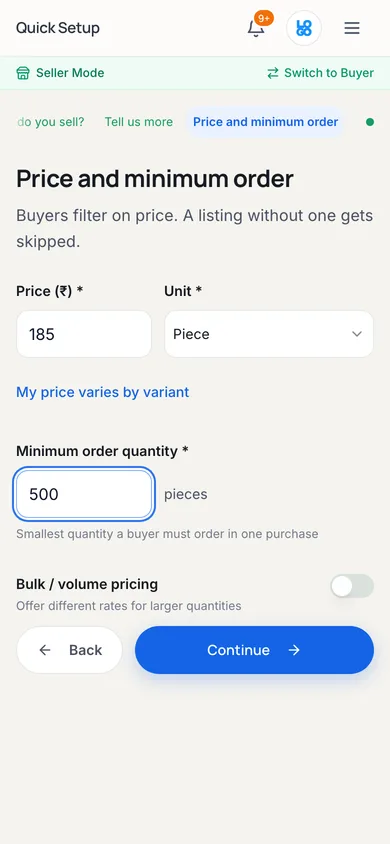
- Set your price and minimum order. On Price and minimum order, enter your price per unit, choose the unit (piece, kg, meter, and so on), and set the smallest order you will take. Quote real numbers, not bait prices. Turn on volume pricing to offer lower rates on bigger orders, which often closes the deal. *Your terms are now clear before the buyer even messages you.*
- Add your photos. The Photos step decides whether a buyer taps your listing or scrolls past. Add real shots of the actual product, then pick a hero image, the one buyers see first. One photo is enough to publish; four or five convert far better. *Your listing now looks like a product worth a closer look.*
- Fill in the extras. Extras is optional but worth it: lead time, HSN or SAC code, warranty, free samples, and customization. There is a separate Brochure step too. Drop in a product brochure as a PDF or image and Tradoi reads it to help fill the listing. *A complete listing ranks above a bare one, so this is time well spent.*
- Review, then publish. Tap Create Listing with AI. After a few seconds, the Review screen shows the title, descriptions, and specs Tradoi built from your words. Check everything, edit anything that needs it, then publish. *Your product is now on its way to buyers, or saved as a draft if you would rather finish later.*
What Price and Minimum Order Should I Set?
Quote a real number, not a placeholder. Pick the unit you actually sell in: piece, kg, or meter. Set the smallest order you will take. Volume pricing is worth turning on if you discount at scale: it answers the buyer's next question before they ask it.
How Do I Add Product Images That Convert?
Photos are the first thing a buyer judges, and on Tradoi they are also part of how a listing earns trust. You can add up to five images per product, and the one you mark as the hero is what shows in search and at the top of the listing.
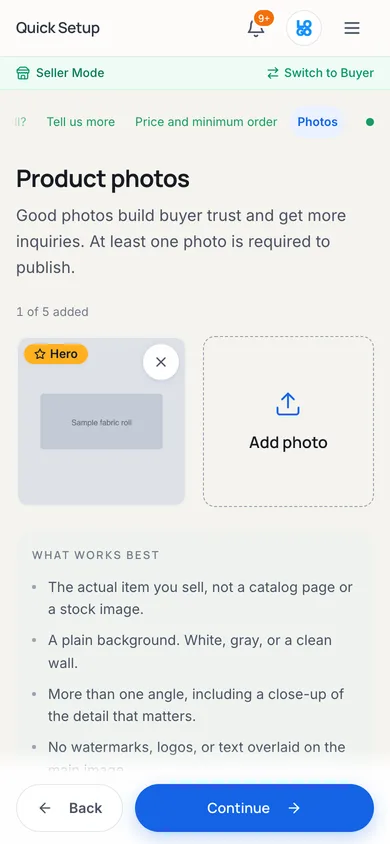
- Shoot the real product. Use your own photos, not stock images. A plain white or gray background reads as professional and keeps the product the focus.
- Pick a strong hero. The hero is the photo buyers see first, so choose the cleanest, sharpest one. One photo lets you publish, but four or five, showing angles, scale, and detail, win far more taps.
- Keep it clean. No watermarks, no text overlays, no other brands' logos. If a photo carries a phone number or address, Tradoi offers to clean a copy for you, but a clean original is always better.
- Mind the resolution. Aim for 800x800 pixels or higher, with 400x400 the recommended minimum. A blurry or tiny hero is the most common reason a good product gets scrolled past.
What Are the Optional Extras Worth Filling In?
Lead time, HSN or SAC code, warranty, free samples, customization. None of it is required, and all of it saves a round trip. A complete listing also ranks above a bare one, so the few minutes pay back twice.
What If I Have a Whole Catalog? Use Bulk Upload
Listing one product at a time is fine for a handful, but if you already have a catalog, a price list, or a folder of product photos, you do not have to retype it all. On your Products page, open Bulk Upload and let Tradoi do the heavy lifting.
- Go to Products, then Bulk Upload. You need a verified business first, the same as listing one at a time.
- Drop in your files, up to ten at once: a catalog or brochure as a PDF, a price list as Excel or CSV, or plain product photos. Add a short note if it helps, such as "25 brass fittings, minimum order 10 each."
- Tradoi reads the lot, pulls out every distinct product, and turns each one into its own draft listing with the title, description, and details filled in.
- Review the drafts together, fix anything that needs a touch, and publish. Each one still passes the same quality check before it goes live.
What Does Tradoi's AI Actually Do to My Listing?
"AI-assisted" can mean very little, so here is exactly what happens to what you type. Tradoi's AI does four specific jobs, and writing fresh claims for you is not one of them. It organizes your own words; it does not author new facts.

- It sets the category for you. From your name and description, Tradoi places the product in the right category so the matching buyer requests reach you. You can change the category if you know better.
- It sharpens your description. It splits what you wrote into a clean title, a short description, features, specifications, and use cases, in the structure buyers scan. The facts stay yours; only the shape improves.
- It suggests features and uses. It offers likely features and applications as one-tap suggestions you can accept or ignore, so a thin listing fills out fast.
- It checks your photos before they go live. It screens each image for contact details printed on it and for other brands' logos. If a phone number or address is on a photo, Tradoi can clean a copy and show you a before-and-after, so you decide whether to use it. Your product itself is never altered.
Put Your First Product in Front of Buyers Open a free Tradoi store, describe what you sell, and let the AI turn it into a listing buyers can find. Start Selling, Free
Why Is My Product Pending Review?
When you publish, Tradoi runs a quick automatic check before the listing goes live. Most clean listings pass it in seconds and appear right away. Some sit in a short "pending review" state, and that is normal, not a rejection.
A listing waits for review when something needs a second look: a photo that may carry contact details, another brand on an image, or a title and photo that do not seem to match. You will always see the exact reason. Fix the highlighted field and republish, and your work is never lost. Behind the scenes, every product carries its own live status, so you can see at a glance whether each one is a draft, in review, published, or needs a change.
The reason this check exists is the same reason buyers take Tradoi seriously. Every public listing comes from a verified business and clears a real quality bar, so a buyer browsing your catalog is browsing genuine products from a real supplier.
How Do I Get My Products Found in Search?
Tradoi Smart Search reads meaning, not just exact keywords, so a buyer searching "waterproof outdoor light" can find your IP65 LED floodlight. Even so, a handful of signals decide who shows up first.
- Describe the product accurately. Tradoi sets the category from your listing, so a clear, specific description puts you in front of the right buyer requests.
- Fill the optional fields. Complete listings outrank bare ones, so the specs, features, and uses you add in the Extras step pull real weight.
- Keep price and availability current. Stale listings get quietly downranked, while fresh ones stay visible.
- Complete your Digital Store. A logo, cover, description, and stronger verified standing lift every product under your store. Verification is the foundation of that standing, and it is what lets you publish in the first place.
You don't write the listing. You describe the product honestly, and Tradoi's AI turns it into something buyers can actually find.
Conclusion
Quick Setup handles the structure and the polish. Your job is the part only you can do: describe what you sell honestly, add real photos, and price it for real. Do that, keep your store complete, and your listings rank in Tradoi Smart Search, match the right buyer requests, and turn into Verified Leads. Want to understand how verification and your store rank you over time? Read Tradoi's Verification Tiers, Explained.
Common Questions
How do I list a product on Tradoi?
Tap Products, then Add Product to open Quick Setup. Choose Product or Service and give it a short, specific name, then answer the prompts about material, sizes, grade, packaging, and who buys it. Set your price and minimum order, add a few real photos, and review the listing Tradoi builds before you publish. It takes a few minutes per product.
Do I have to write the whole listing myself?
No. You describe the product in plain words and Tradoi's AI organizes it into a proper listing with the title, specs, features, and use cases buyers search by. It structures your own words and never invents facts. If you have a brochure, you can drop it in and Tradoi reads it to help fill the listing.
How long does the product description need to be?
At least 80 characters. Write the way you would explain the product to a serious buyer, covering material and grade, sizes, finish, certifications, and lead time. The more specific you are, the more buyer searches you turn up in. Tradoi's AI then splits what you wrote into features, specifications, and use cases.
How many photos can I add, and what makes a good one?
Up to six photos per product. Use real shots of the actual product on a plain white or gray background, keep them free of watermarks and other brands' logos, and aim for 800x800 pixels or higher. Mark your cleanest, sharpest photo as the hero, since that is what buyers see first. One photo is enough to publish, but four to six convert far better.
What do I need before I can publish a product?
A verified business account, which means your phone, email, and business are all verified. You also need at least one real photo, your price per unit, and a minimum order quantity. Business verification is what lets you publish, so nothing goes live until it is done.
Why is my product pending review instead of live?
Most clean listings publish in seconds. A product waits for a quick review when something needs a second look, such as a photo that may carry contact details, another brand on an image, or a title and photo that do not seem to match. It is not a rejection. You will see the exact reason, and you fix the highlighted field and republish without losing any work.
What does Tradoi's AI actually do to my listing?
Four things. It sets the product category for you, it sharpens your description into a clean title, specs, features, and use cases, it suggests likely features and applications you can accept or ignore, and it screens your photos for printed contact details and other brands' logos before they go live. It organizes your own words and never writes new claims, and it never alters the product in your photo.
How do I get my products found in search?
Describe each product accurately so Tradoi sets the right category, fill the optional spec and feature fields since complete listings outrank bare ones, keep your price and availability current, and complete your Digital Store with a logo, cover, and description. A complete, well-verified store with stronger verified standing lifts every product under it.